

Welcome to OctoTable
Connect, share, and engage with community and build relationships.
Please log in if you are already a member or sign up for an account.
🎯 What you can do with Link Campaigns
The new Campaigns section allows you to create custom promotional links to share on your communication channels (social media, newsletters, WhatsApp, etc.) and track their results in real time.
With this tool, you can create new campaigns, view all active and inactive ones, activate or deactivate them whenever you want, and most importantly, monitor detailed statistics such as the number of bookings received, daily clicks, and conversion rate.
Currently, only the LINK campaign type is available, which allows you to generate unique URLs for your promotions. Campaigns can be associated with a specific event or all services in your restaurant.
To start using Campaigns, log into your Octotable account and follow these simple steps.
From the main menu, click on Marketing 📊 in the left sidebar. The submenu with the available options will open. Select Campaigns to access the overview of all your campaigns.
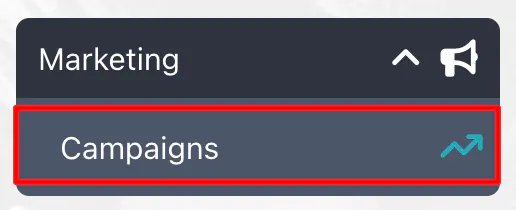
The first time you access this section, you’ll see an empty page with the button to create your first campaign. If you already have active campaigns, you’ll see a complete list with the status of each.
Creating a campaign is simple and takes just a few minutes. Let's go over all the steps.
From the Campaigns page, click on the Create new campaign button at the top right. A form will open where you need to enter your campaign information.

In the creation form, you’ll need to fill in the following fields. First, give your campaign a name that helps you identify it easily (e.g., “Valentine’s Promotion,” “Summer Discount 2025,” “Wine Tasting Event”).
Next, select the type of campaign. Currently, only the LINK option is available, which generates a URL to share with your customers.
The next step is to choose which service to associate the campaign with. You can choose to link it to all services in your restaurant or a single specific event. If you’re promoting a particular event (like a themed dinner or a tasting), select that event from the dropdown. Otherwise, choose the option for all services.
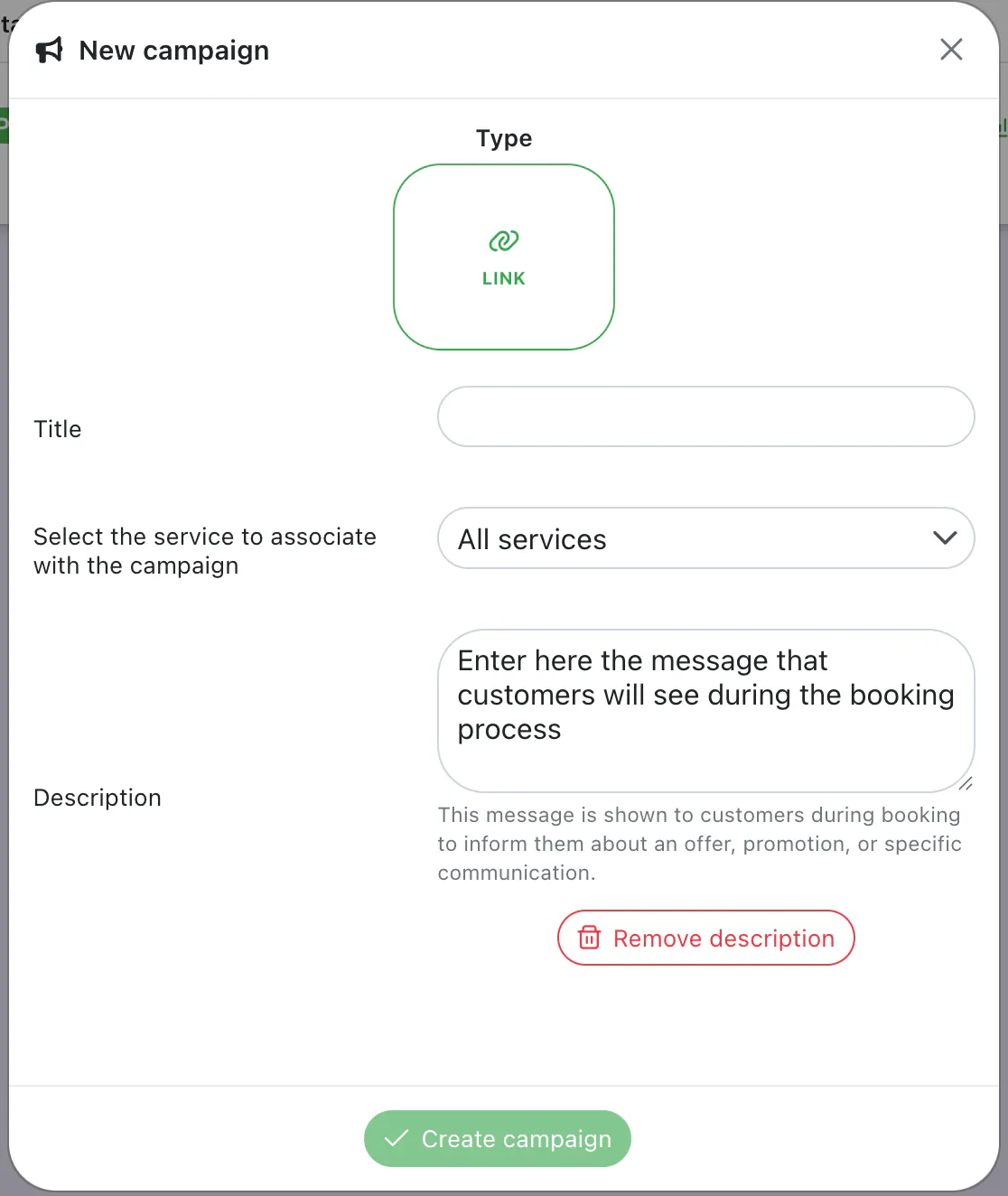
Once you’ve filled in all required fields, click Save or Create campaign. The system will automatically generate a unique link for your campaign that you can copy and use immediately.
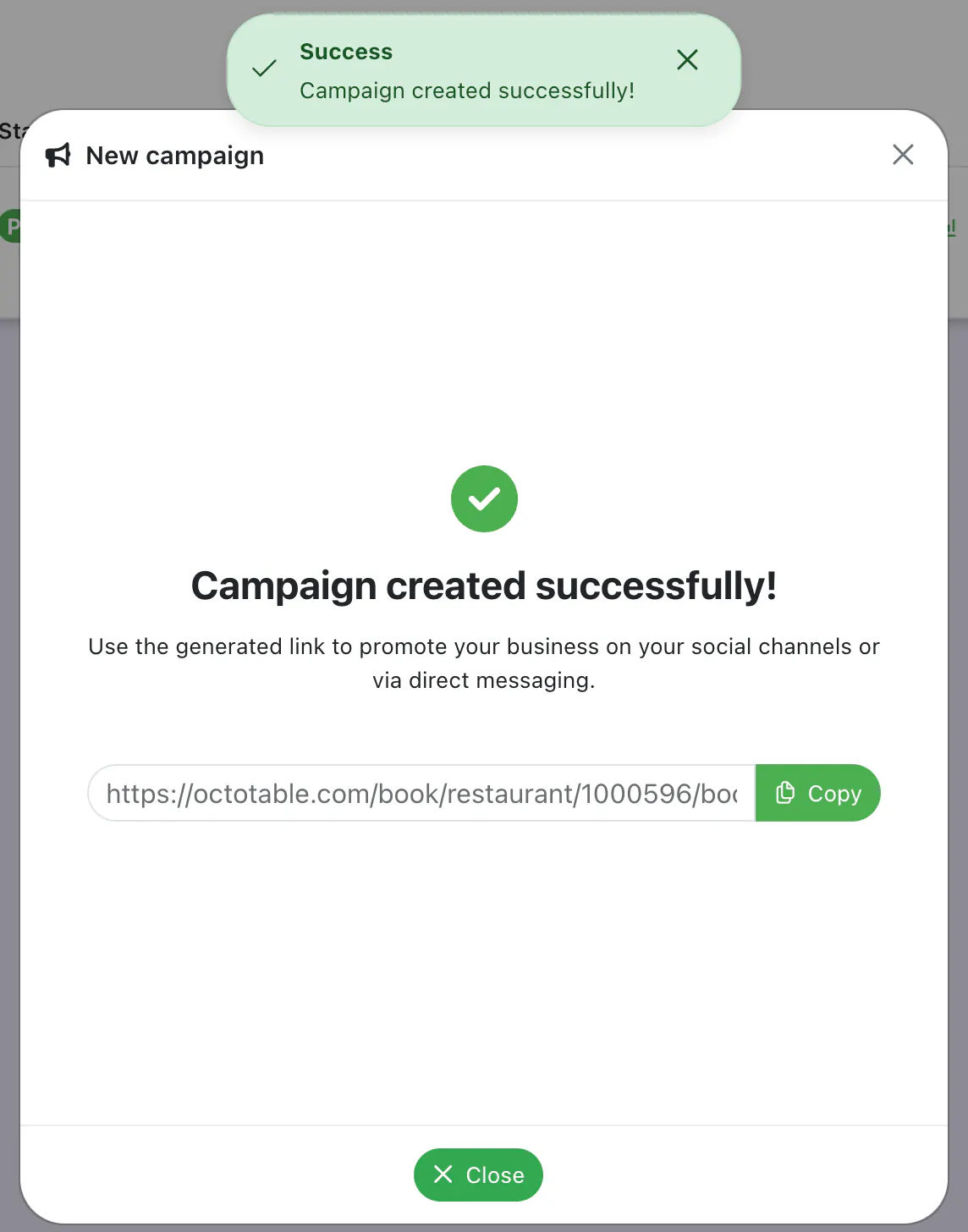
After creating the campaign, you’ll have a personalized link that you can share anywhere you like. This link will take your customers directly to the Octotable booking page, and all accesses and bookings from that link will be automatically tracked.
To copy the link, click the copy icon next to the campaign URL. You can then share it on your preferred channels: post it on social media, include it in your email newsletters, send it via WhatsApp messages to your customers, or use it in paid advertising campaigns on Facebook or Instagram.
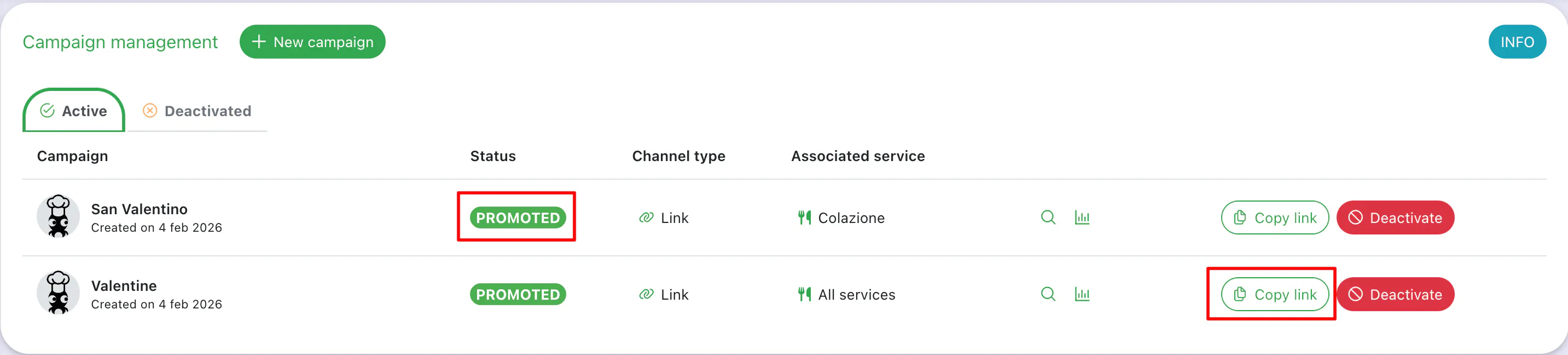
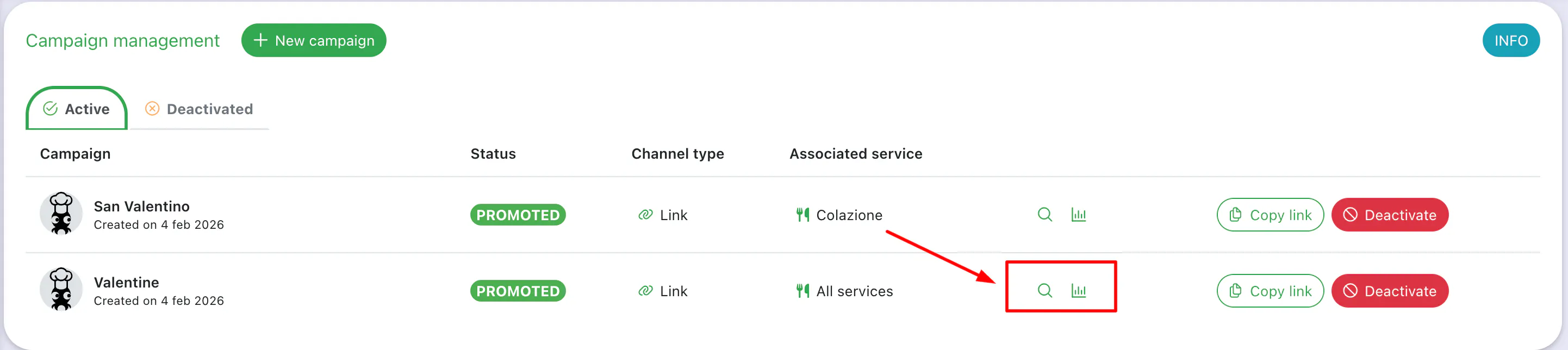
The Campaigns section gives you full control over all your promotional initiatives. You can view the full list of campaigns with their statuses (Active or Inactive) and manage them according to your needs.
To deactivate a campaign, locate it in the list and click the toggle or status button. The campaign will switch to “Inactive,” and the link will function as a normal booking page link, stopping the tracking of bookings.
To reactivate a campaign, simply follow the same procedure by clicking the Promote button. The campaign will become active again, and the link will start working normally.
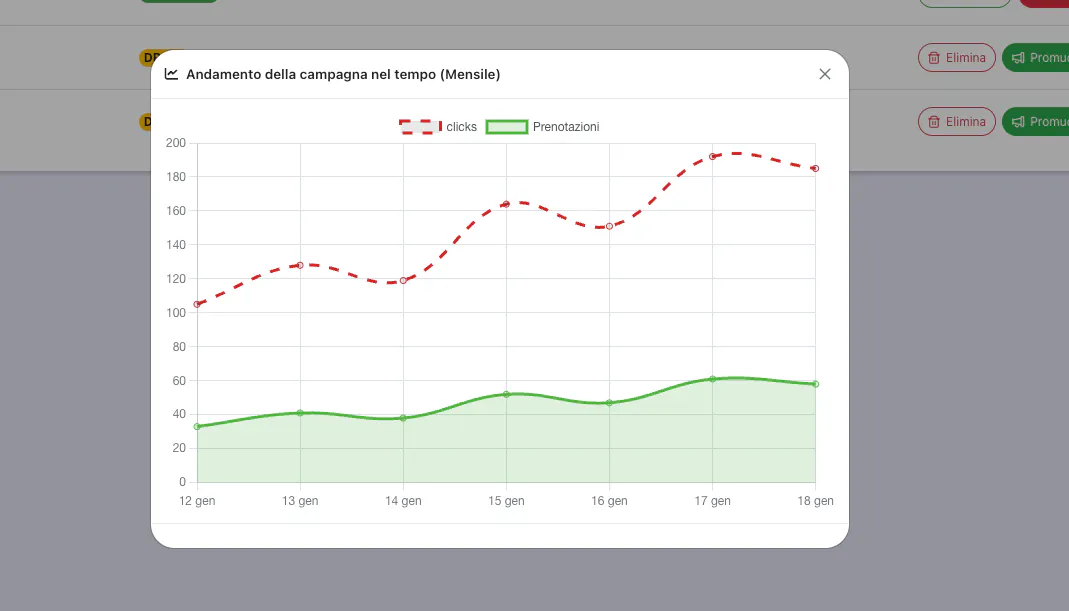
One of the most useful features of the Campaigns section is the ability to monitor the performance of your promotional initiatives in real time. For each active campaign, you can view detailed statistics to help you understand the effectiveness of your marketing strategies.
To view the statistics of a campaign, click the campaign name in the list or the Statistics or Details button associated with the campaign. A dedicated page will open with all the collected data.
Available metrics include the number of clicks and the number of bookings received via the campaign link, i.e., how many customers actually completed a booking after clicking your promotional link.
Finally, you’ll have access to the conversion rate, calculated as the percentage of bookings out of the total clicks. This data is essential for understanding how effective your campaign is in turning interest into real bookings.
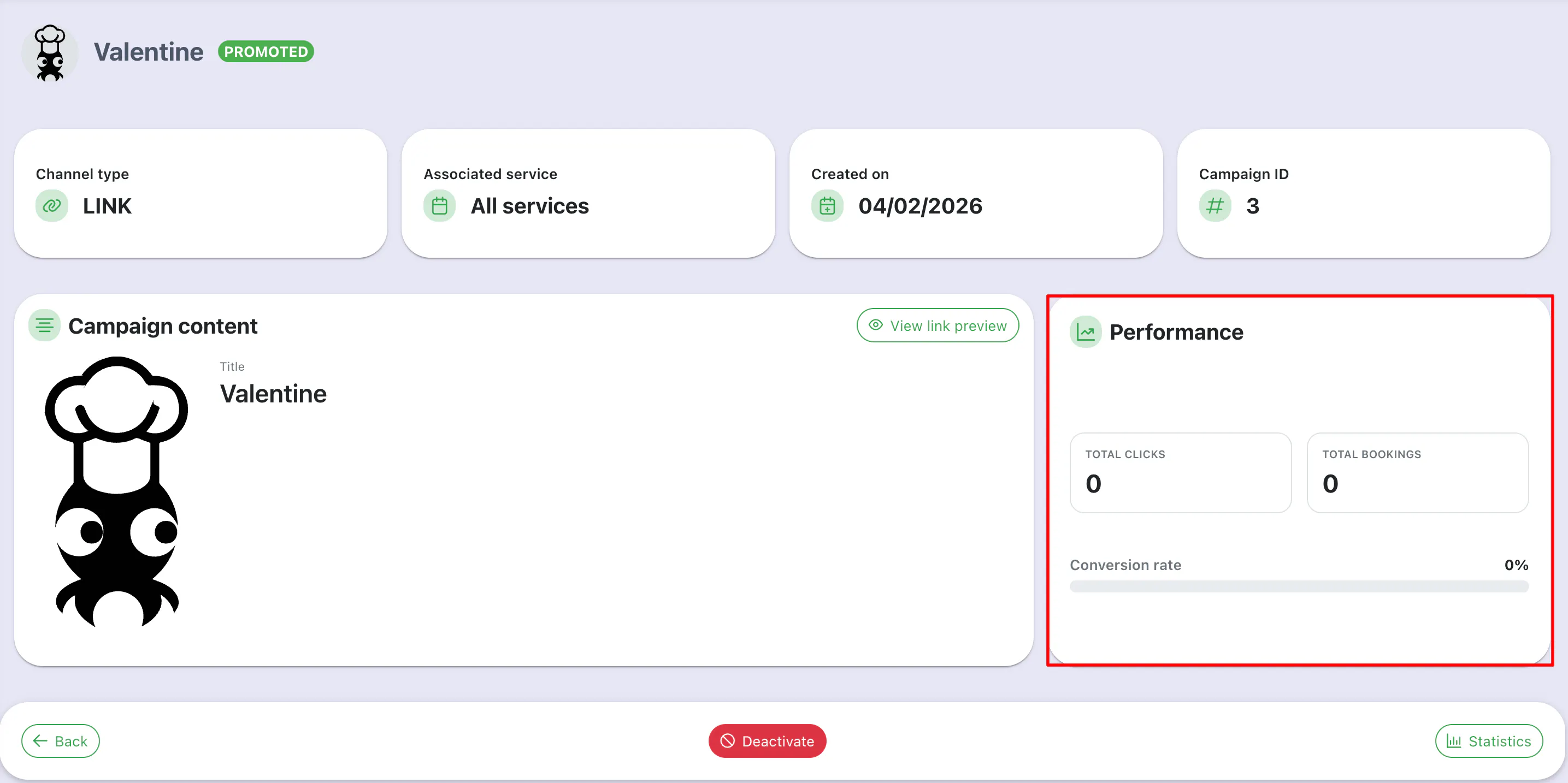
Statistics are updated in real time, so you can constantly monitor your campaigns’ performance and make any adjustments to your promotional strategy.
To help you get the most out of this new feature, here are some practical tips based on the best marketing strategies.
Create channel-specific campaigns: Instead of using the same link everywhere, create different campaigns for Instagram, Facebook, newsletters, and WhatsApp. This way, you can track exactly which channel brings in the most bookings and focus your efforts where it works best.
Use descriptive names: When creating a campaign, choose a name that allows you to identify it quickly even after months. For example, “Instagram_Mar2025_BirthdayDiscount” is much more useful than “Campaign1.”
Monitor statistics regularly: Spend a few minutes each week checking the performance of your campaigns. If you notice that a campaign has a lot of clicks but few bookings, it might mean that there’s something to improve in your offer or booking page.
Test different strategies: Try creating campaigns with different messages to see what works best with your audience. For example, compare the results of a campaign offering a 10% discount with one offering a free appetizer.
Combine campaigns with special events: When you organize a themed night or a tasting menu, create a dedicated campaign and promote it in advance. Statistics will tell you if the event generated interest and if it’s worth repeating.
Don’t forget to deactivate expired campaigns: Keep your list organized by deactivating campaigns that are no longer valid. This will help you focus on the active ones and avoid confusion.
Analyze the conversion rate: If you’re getting a lot of clicks but few bookings, it might be helpful to review your offer or simplify the booking process. A low conversion rate indicates that there’s interest, but something is preventing people from completing their booking.
Start creating your first campaign now and experiment with different channels and messages. Remember, success in marketing comes from continuous testing and adjustments based on results.