

Welcome to OctoTable
Connect, share, and engage with community and build relationships.
Please log in if you are already a member or sign up for an account.
This article explains how to access the History of reservation changes of bookings to keep track of all changes made by you or your staff, with information on date, time, user and type of modification.
To modify an existing reservation, follow these steps:
Click on the green Edit button next to the booking you want to modify

Make the changes you need in the Edit Booking section
Click on Go to all details to modify additional elements
Click on Edit booking at the bottom to save your changes.
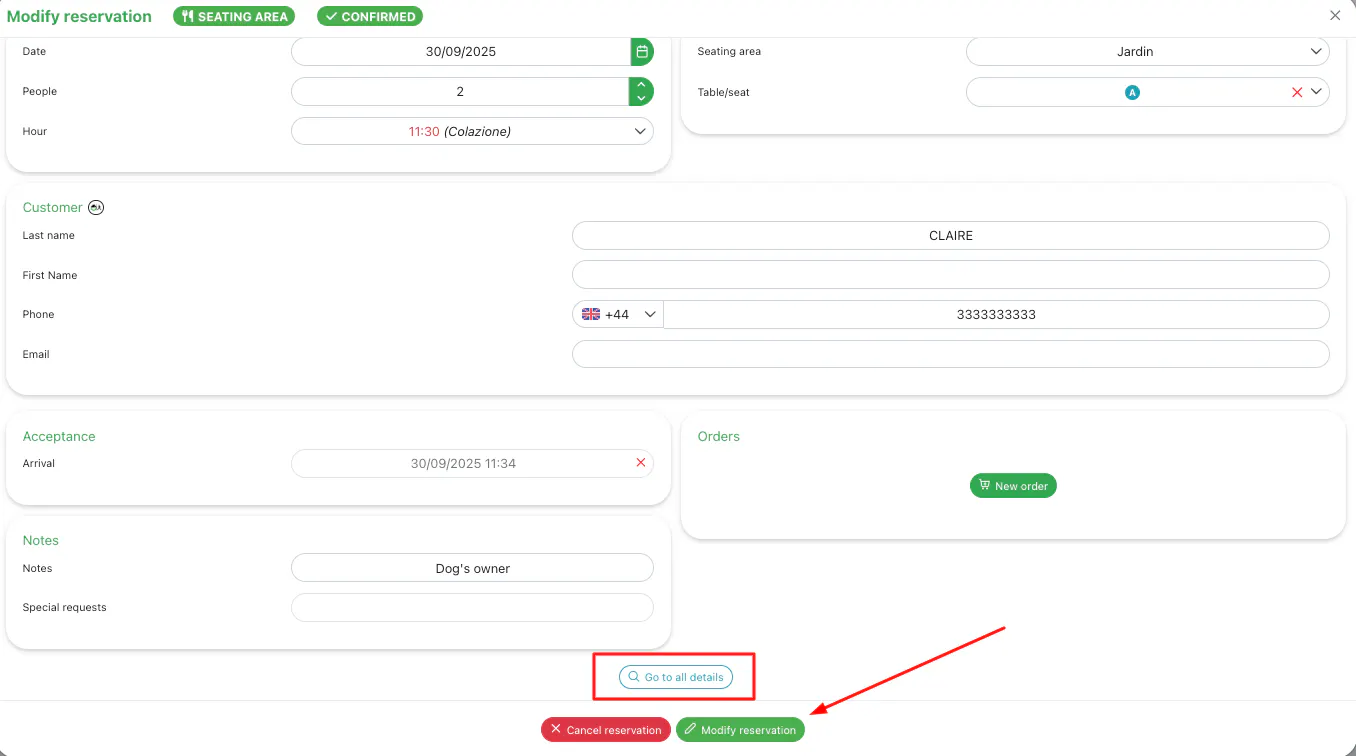
After saving the modification, every time you access Go to all details you will be able to view the Modification History section that will appear automatically.
The Modification History records every single change made to the booking, providing you with the following information:

Date and time of the modification
Name of the user who made the modification
Type of modification made (for example: time change, number of guests change, table modification, status change)
This way you can keep your restaurant's bookings under greater control, always knowing when, by whom and what type of modification was made.
📌 Please note
The Modification History becomes visible only after saving at least one modification to the booking. If you have never modified a booking, the Modification History section will not be visible.
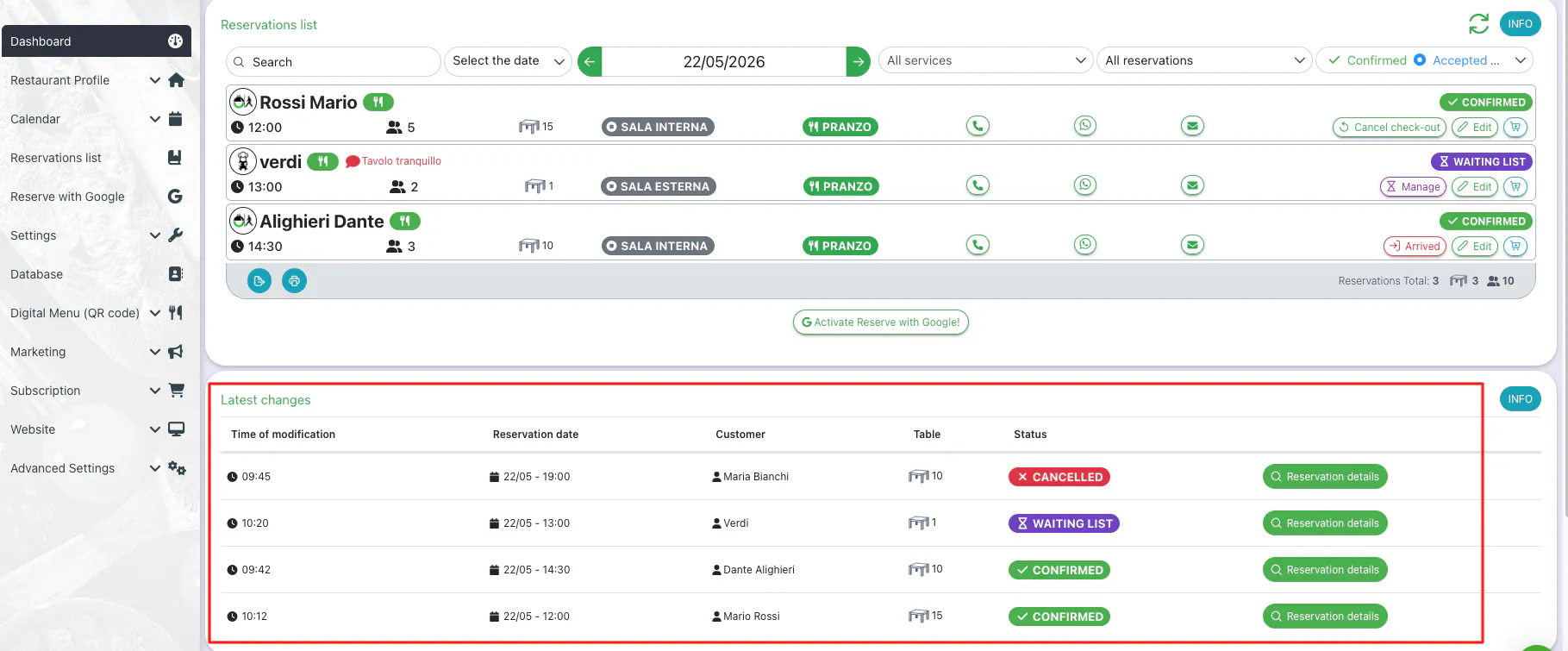
From the Dashboard you will find a dedicated section that shows the Latest changes of all bookings, allowing you to monitor your staff’s activity and booking updates in real time.
Read the complete article to find out where you can view and modify your bookings 👇