Welcome to Qui Reserve / Qui Prenota
Connect, share, and engage with community and build relationships.
Please log in if you are already a member or sign up for an account.
The Database is the list of all customer data of guests who have visited your venue. It is a very useful tool that allows you to:
Retrieve your customers’ data
Export and import your customers’ data
Add customers to a blacklist
Mark customers as no-shows
Indicate allergens and customer type
Check reservation history
Add marketing attributes
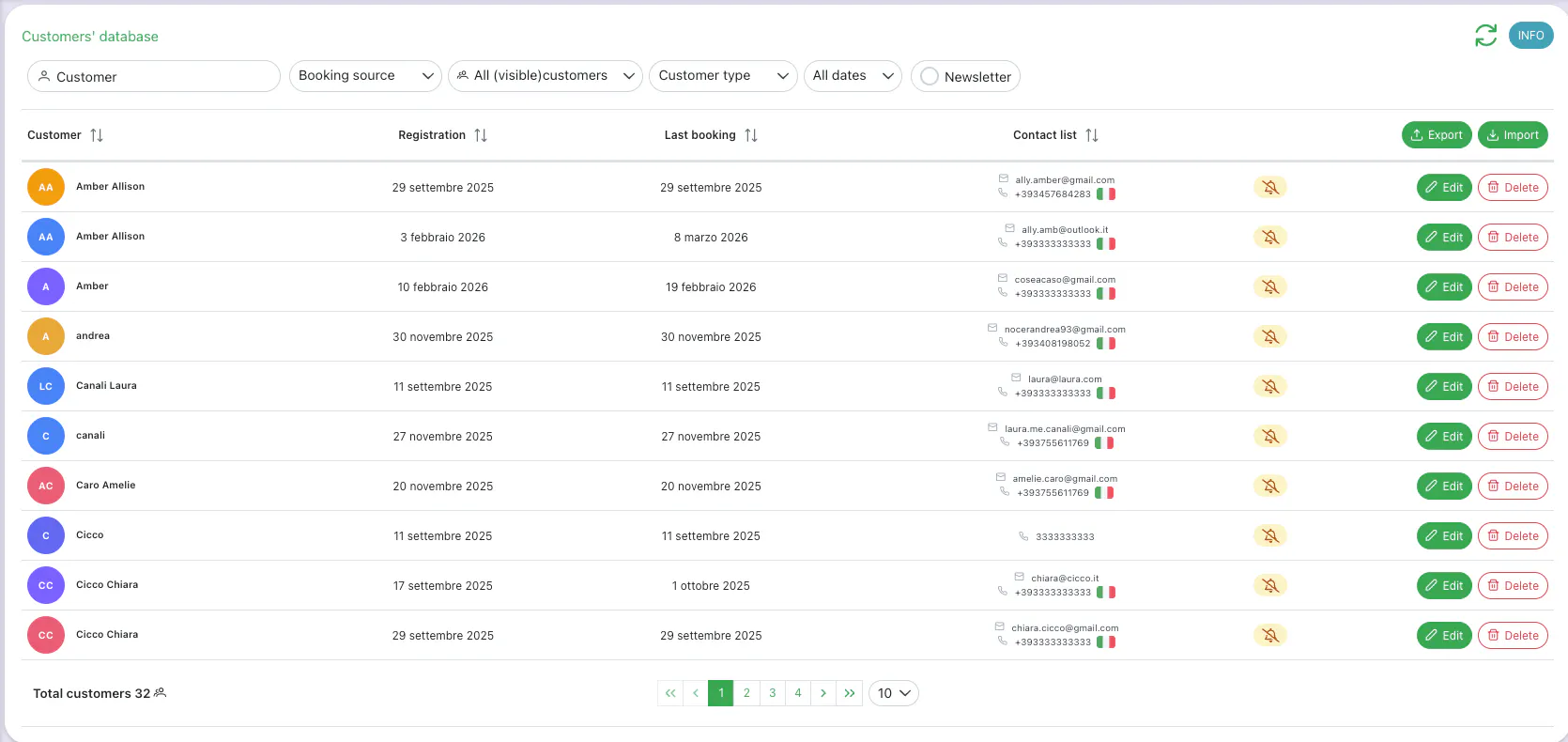
Retrieve your customers’ data
By accessing your customer database, you can find all your customers’ information. Use the search filters to find a customer by name, email, phone number, or date.

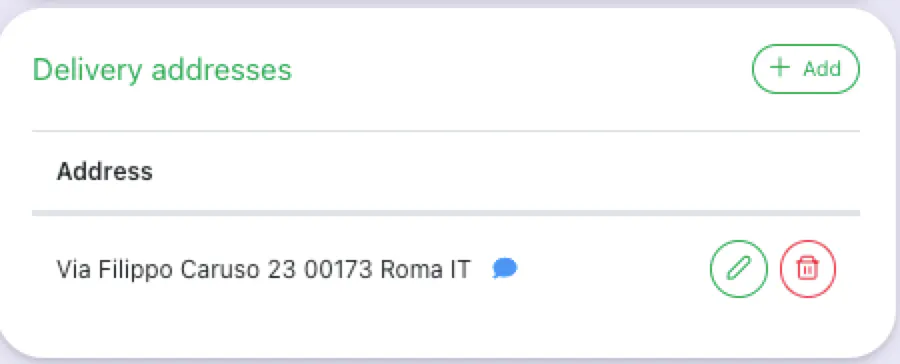
Within the customer profile, you can also save the address for home delivery.
Export and import your customers’ data
If you have just started using Octotable, it may be useful to import your existing customer database.
⚠ Warning! Existing data in the database will be overwritten.
At any time, you can export your data to send newsletters and promotions.

Block a customer or mark as No Show
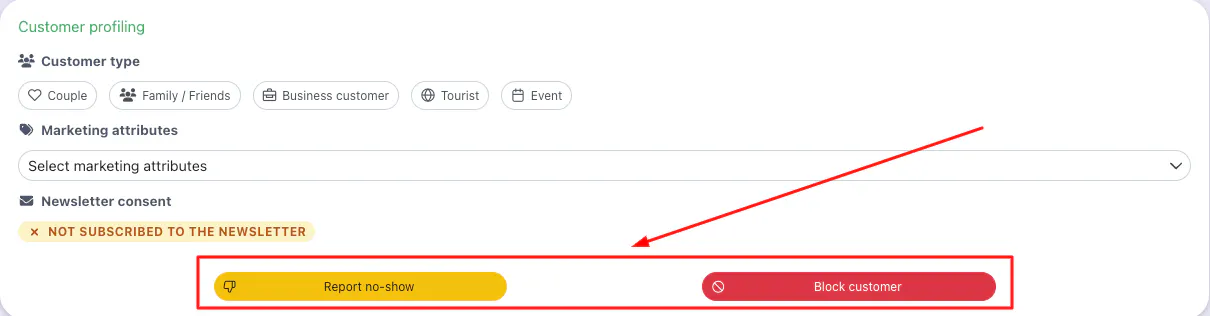
From the Customer Profiling section, click the red button to block a customer and the yellow button to mark them as a no-show.
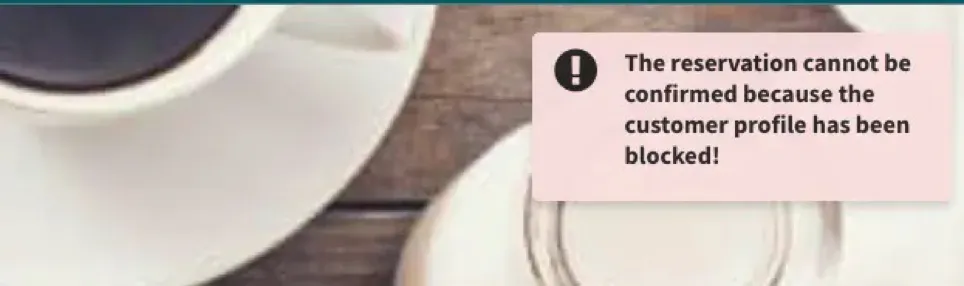
If a customer is blocked, they will no longer be able to make reservations on your booking page and will see a message.
A customer tagged as No Show who makes a new reservation will be flagged in the Dashboard with an icon, so you know to contact them to ensure they show up.
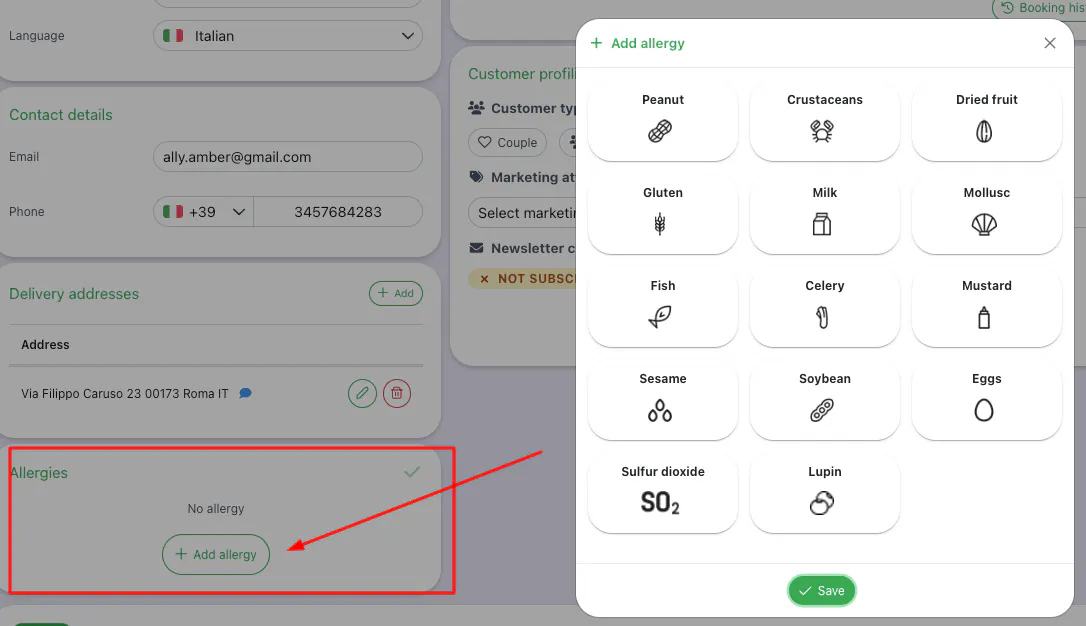
Indicate allergens and customer type
Within the customer profile or reservation details, you can indicate allergens. These will be saved and displayed in the Dashboard when the customer makes a new reservation.
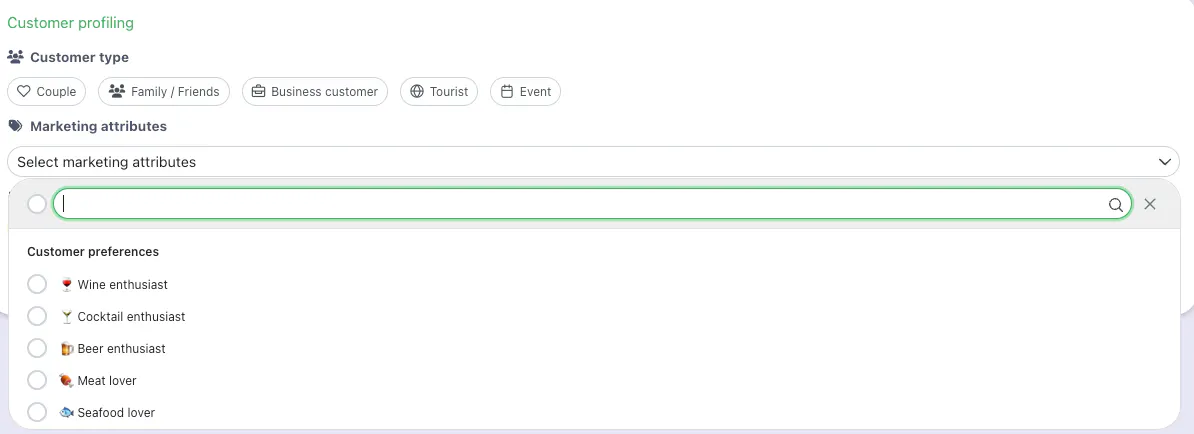
Select the customer type and any other useful information to understand their preferences and how to contact them.
Check reservation history
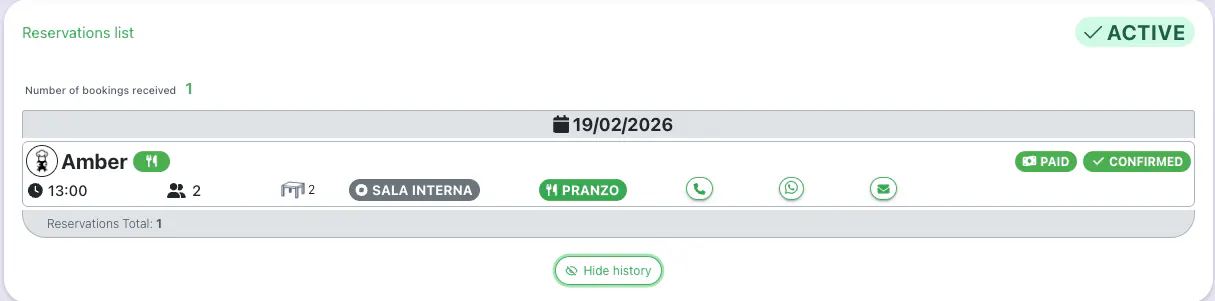
In the reservation history, you can find all bookings made by the customer.

Details include: reservation date and time, arrival time, booking channel, reservation status, assigned room and table, and booking method (Delivery, Takeaway/Pay&Go).
👉 Click here for more information on how to report no show customers.
👉 Click here to learn how to request consent for sending promotional emails