

Welcome to OctoTable
Connect, share, and engage with community and build relationships.
Please log in if you are already a member or sign up for an account.
This article explains how to purchase additional SMS and image packages for your restaurant, how to monitor their consumption, and what are the main uses of these services to improve communication with your customers and enrich your digital presence.
To purchase additional packages, click on Subscription > Additional Packages from the main menu and you can choose between different SMS and image options based on your needs.

SMS are a fundamental tool to communicate with your customers directly and immediately. You can use them to:
Confirm reservations automatically
Send reminders to reduce no-shows
Communicate changes to hours or extraordinary closures
In the Additional Packages section, you will find different SMS package options with different quantities and prices:
Choose the package that best suits your needs
Click on Pay or the corresponding purchase button
Complete the payment by following the instructions
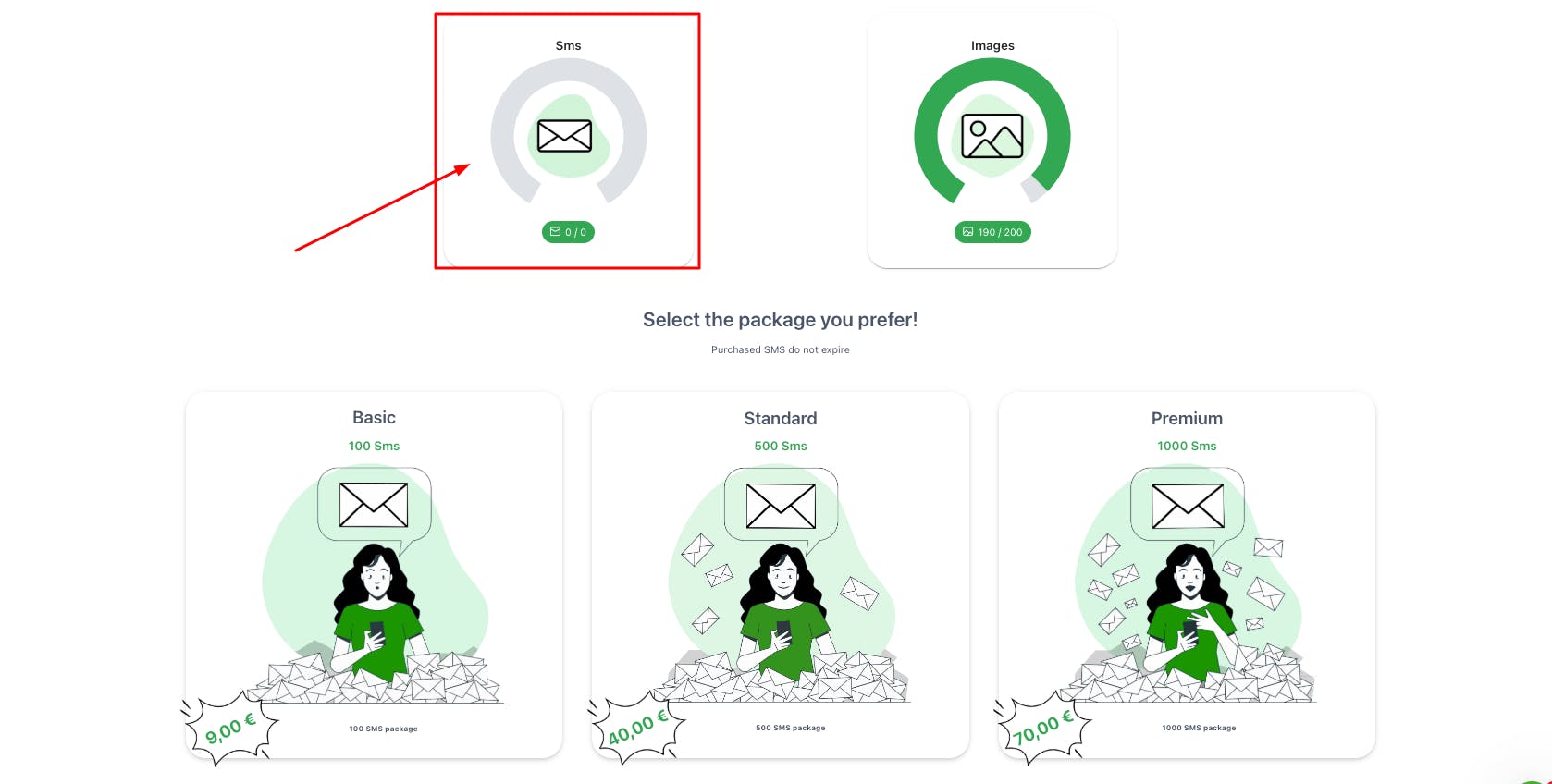
Once you have purchased the package, you will be able to monitor your SMS consumption in real time through the counter on the same Additional Packages page.
SMS are automatically deducted from the counter every time:
A reservation confirmation is sent
You send a manual message to a customer
An automatic scheduled communication is activated
Additional images allow you to enrich your restaurant's presentation, particularly to:
Create a complete and attractive digital menu
Show dishes in detail
Enrich the restaurant's photo gallery
The purchase process is identical to that of SMS:
In the Additional Packages section, locate the available image packages
Select the package with the number of images you need
Proceed with the purchase
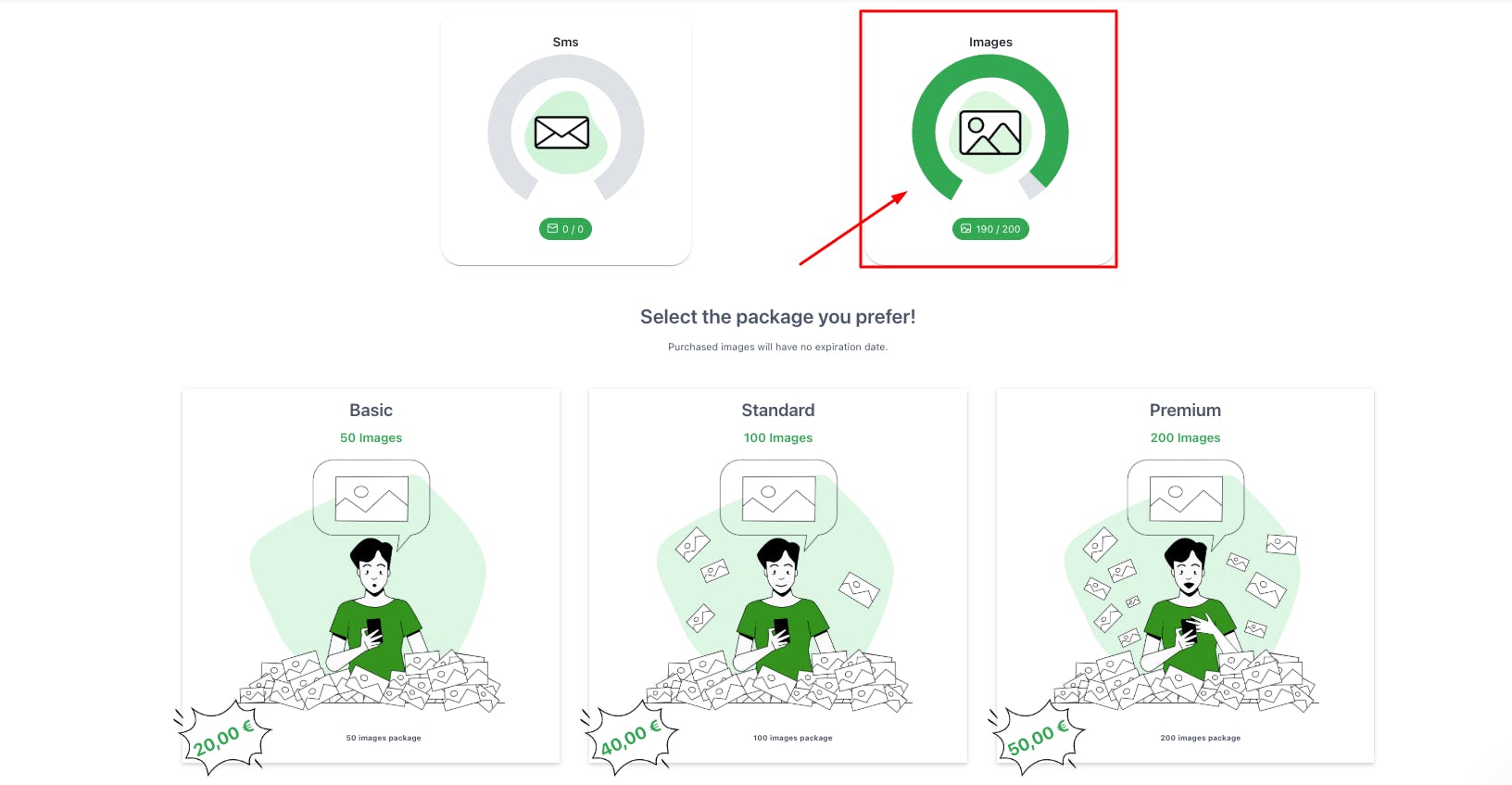
After purchase, the number of available images will be visible in the counter on the Additional Packages page.
You can upload images based on the number you have purchased. The counter will always show you:
How many images you have already used
How many images you still have available
Every time you upload a new photo to the digital menu or gallery, the counter updates automatically.
SMS: Evaluate the average number of monthly reservations to choose the most suitable package. Remember that each reservation confirmation consumes one SMS.
Images: For a complete digital menu, consider that each dish should have at least one quality photo. Calculate how many dishes you want to present to choose the right package.
📌 Please note: regularly monitor the counters to avoid running out of SMS or space for images at times of greatest need.